By Walter Jobs, Technology writer and editor. Manufacturer sources, competitor coverage and model scenarios reviewed 2 November 2026.
For a Core i5-14400F, compare the RX 9060 XT 16GB for a moderate graphics step, the RTX 5070 for a specific NVIDIA-supported workload, and the RX 9070 XT for a larger graphics-heavy target. Keep the CPU if it already delivers the game responsiveness and frame-rate floor you need. Ten cores do not define a minimum GPU tier.
As an Amazon Associate we earn from qualifying purchases. This does not change the price you pay, and a commission never affects what we recommend. Full disclosure.
This shortlist is organised around the problem you want to solve. A demanding graphics preset, a CPU-heavy competitive minimum and a software-feature requirement are different buying questions. Start with the owned GPU and the target, then price the whole upgrade.
Graphics shortlist by purchase purpose
| Product | When to compare it | Before buying |
|---|---|---|
| A moderate graphics step for a defined game target | Compare the 16GB version and improvement from the existing card. Find offerson Amazon |
|
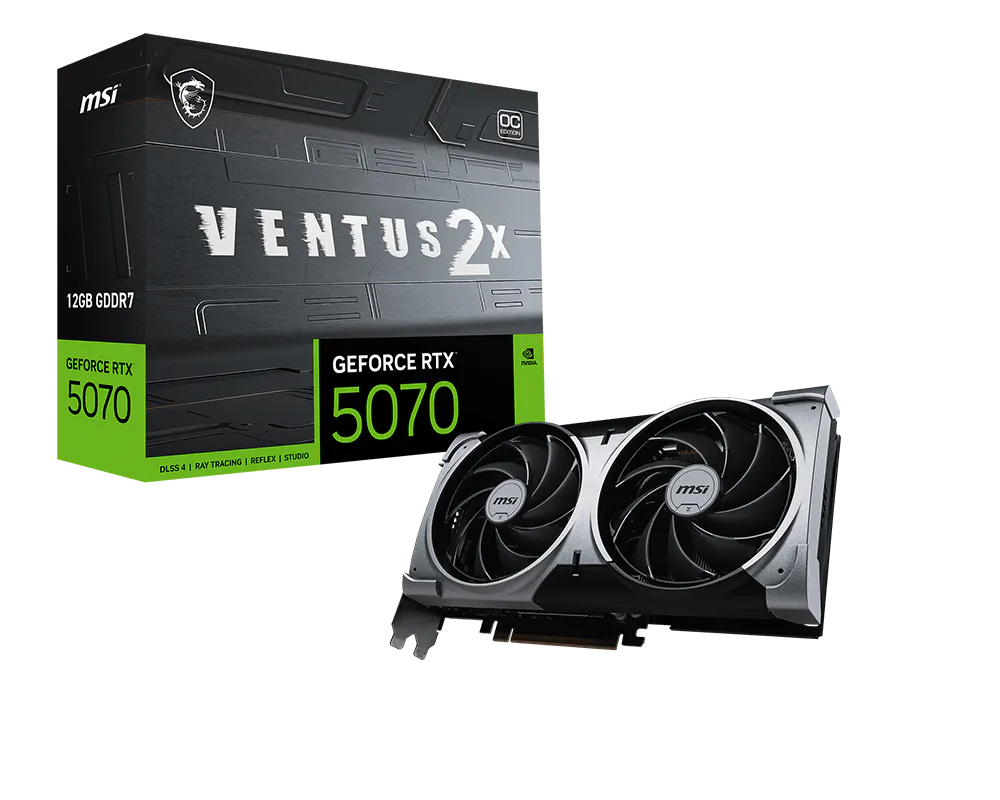 GeForce RTX 5070 |
A specific NVIDIA feature or application need | Check the standard card, software support and actual local offer. Find offerson Amazon |
| A larger graphics-heavy upgrade | Verify case, PSU and CPU-heavy game performance before spending more. Find offerson Amazon |
The photographed retail boards identify actual designs. Other coolers in the same GPU family can differ in case fit, connectors, power guidance and acoustics. Compare the exact available offer and seller terms.
RX 9060 XT 16GB: a moderate upgrade can be enough
The 16GB RX 9060 XT is worth comparing when it substantially improves the current card without a larger spend. Verify the memory version. A discounted 8GB listing is not the same configuration at a lower price.
Capacity is one consideration, not a complete performance ranking. Use measured game evidence at the settings you want, and consider whether the improvement from your present card is large enough. Keeping that card can be better value than a small sidegrade.
RTX 5070: confirm the feature in your actual software
The standard 12GB RTX 5070 belongs in the comparison for a supported NVIDIA feature, application path or preferred game implementation. Keep it separate from the Ti. Check the software version and job rather than assuming the brand guarantees a useful advantage.
For supported frame generation, distinguish base rendering from generated output. A larger displayed counter does not show that the processor advances the game at the same rate. Compare input response, frame pacing and quality as well as the counter.
RX 9070 XT: a larger card needs a defined benefit
The RX 9070 XT is the larger graphics-focused candidate for a more demanding display or settings plan. Include the exact board’s power, connections and clearance requirements in the quote. A case or PSU change can materially alter the cost of a graphics-only upgrade.
For CPU-heavy high-refresh goals, investigate measured results in the difficult game scenes before spending more. Higher resolution usually adds graphics work but does not eliminate game simulation. A compatible larger card can fit one workload and be poor value for another.
Understand the 14400F’s hybrid layout and power fields
| Manufacturer field | Published reference |
|---|---|
| CPU cores / threads | 10 / 16: 6 P-cores and 4 E-cores |
| Socket | LGA1700 |
| Official memory support | DDR4-3200 or DDR5-4800; board-specific |
| CPU PCIe support | 5.0 and 4.0 |
| Processor Base / Maximum Turbo Power | 65 W / 148 W |
The processor has six P-cores and four E-cores, not ten identical gaming cores. Its sixteen-thread configuration is also different from the six-core, twelve-thread 12400F. Those differences do not by themselves quantify a GPU upgrade or a frame-time advantage.
The 65W base and 148W maximum turbo figures describe different processor fields. Neither is the full PC’s draw, and a base-power label is not enough to approve a PSU. Check cooling, the board’s supported settings and the complete graphics installation.
Keep a working DDR4 or DDR5 installation in the comparison
The CPU supports the two memory types in appropriate boards, but your actual motherboard decides which is installed. A BIOS option cannot make a DDR4 board accept DDR5. Compare the real performance and cost before replacing a functioning board and memory kit.
The F model has no integrated graphics. A motherboard video connector therefore does not guarantee a display without the discrete card. This can matter during installation and troubleshooting, independently of the GPU’s gaming performance.
Which route solves the actual problem?
| Your situation | Best next comparison | Do not assume |
|---|---|---|
| Current CPU meets the target | Compare the graphics-only improvement | Ten hybrid cores define a required GPU price. |
| PSU suitability is uncertain | Check full configuration, unit and connectors | The 65W base field is whole-PC power. |
| Working DDR4 platform | Compare real gains before replacing board and memory | A CPU capable of DDR5 makes that replacement necessary. |
Put comparable whole-system quotes against those routes. A GPU, CPU, memory or board upgrade should have a purpose. Replacing several working components at once makes it harder to know which spend provided the useful improvement.
Modelled graphics tiers with the same CPU
| GPU | 1080p estimated FPS | 1440p estimated FPS | 4K estimated FPS |
|---|---|---|---|
| Radeon RX 6600 | 50 | 37 | 14 |
| GeForce RTX 5060 | 70 | 52 | 20 |
| Radeon RX 9060 XT 16GB | 77 | 57 | 33 |
| GeForce RTX 5070 | 115 | 86 | 50 |
| Radeon RX 9070 XT | 131 | 98 | 57 |
| GeForce RTX 5070 Ti | 136 | 102 | 59 |
The 1440p High model estimates 57 FPS with the RX 9060 XT 16GB, 86 with the RTX 5070 and 98 with the RX 9070 XT. These are generic index outputs, not measured game benchmarks or a universal value ranking.
The 14400F can produce model results close to other i5s when the engine assigns a graphics constraint. That is not proof of equal real-world frame pacing, scheduling or background-task performance. The model cannot measure those behaviours, PCIe transfers or individual drivers.
Check the slot, configuration and repeatable scene
Read the motherboard manual for the primary graphics slot, generation, electrical lane count and sharing with other devices. The processor’s maximum PCIe support is not a description of every board. Confirm the actual installation before diagnosing a performance gap.
Choose a repeatable difficult scene, then check caps, temperatures, memory configuration and background activity. Reduce graphics demand while keeping the game workload comparable. If the shortfall persists, investigate CPU-heavy behaviour rather than automatically buying another graphics tier.
If the CPU already meets the frame-rate floor, a graphics-only upgrade may be enough. Our pairing guide explains the diagnosis, and the upgrade-planning guide helps avoid buying uncertain future dependencies early.
Research method and final purchase checks
We checked manufacturer information and calculated PairMyRig scenarios for this editorial shortlist. We did not test these combinations in a laboratory. The engine uses generic gaming, High preset and 32GB RAM, without measured named-game results, 1% lows, PCIe penalties, ray tracing or generated frames.
Primary reference: official Intel product specifications.
Read the calculation method for the limitations. Use the PSU planner with the exact board and PSU instructions. The GPU pairing hub provides other CPU starting points, including a separate 12400F comparison.
Explore another pairing scenario
Choose another graphics card. Select High preset and 32GB system RAM to match the table, and confirm the memory version of the selected GPU.
Frequently asked questions
Do ten CPU cores mean I should buy a high-end GPU?
No. The hybrid core layout is not a minimum-spending rule. Choose the graphics card from the workload, owned GPU and actual performance target.
Is 65W enough information to choose a PSU?
No. It is the processor base-power field, not whole-system draw or its maximum turbo figure. Check the full configuration and manufacturer requirements.
Should I replace my DDR4 motherboard for this GPU upgrade?
Only when a relevant benefit justifies the complete cost. An adequate existing installation can remain useful; CPU support for DDR5 does not make a board change mandatory.
Can the 14400F display through motherboard video outputs alone?
The F model lacks integrated graphics. Check the actual graphics path and use the discrete card appropriately during installation and troubleshooting.