By Walter Jobs, Technology writer and editor. Manufacturer sources and model scenarios reviewed 2 November 2026.
For the Ryzen 7 7700X, compare the RX 9070 XT for a substantial graphics upgrade, the RTX 5070 Ti for a specific NVIDIA-supported workload, and the RTX 5080 for heavier graphics demands with the budget to match. These are candidates for different needs. Owning an eight-core AM5 processor does not require you to buy the most expensive GPU or replace the CPU before upgrading graphics.
As an Amazon Associate we earn from qualifying purchases. This does not change the price you pay, and a commission never affects what we recommend. Full disclosure.
Start with the display and the hardest workload. A 1440p gaming PC, a high-refresh competitive setup and a 4K creator-and-gaming machine can all use the 7700X while requiring different graphics choices. Separate gaming performance from application acceleration and streaming requirements before comparing offers.
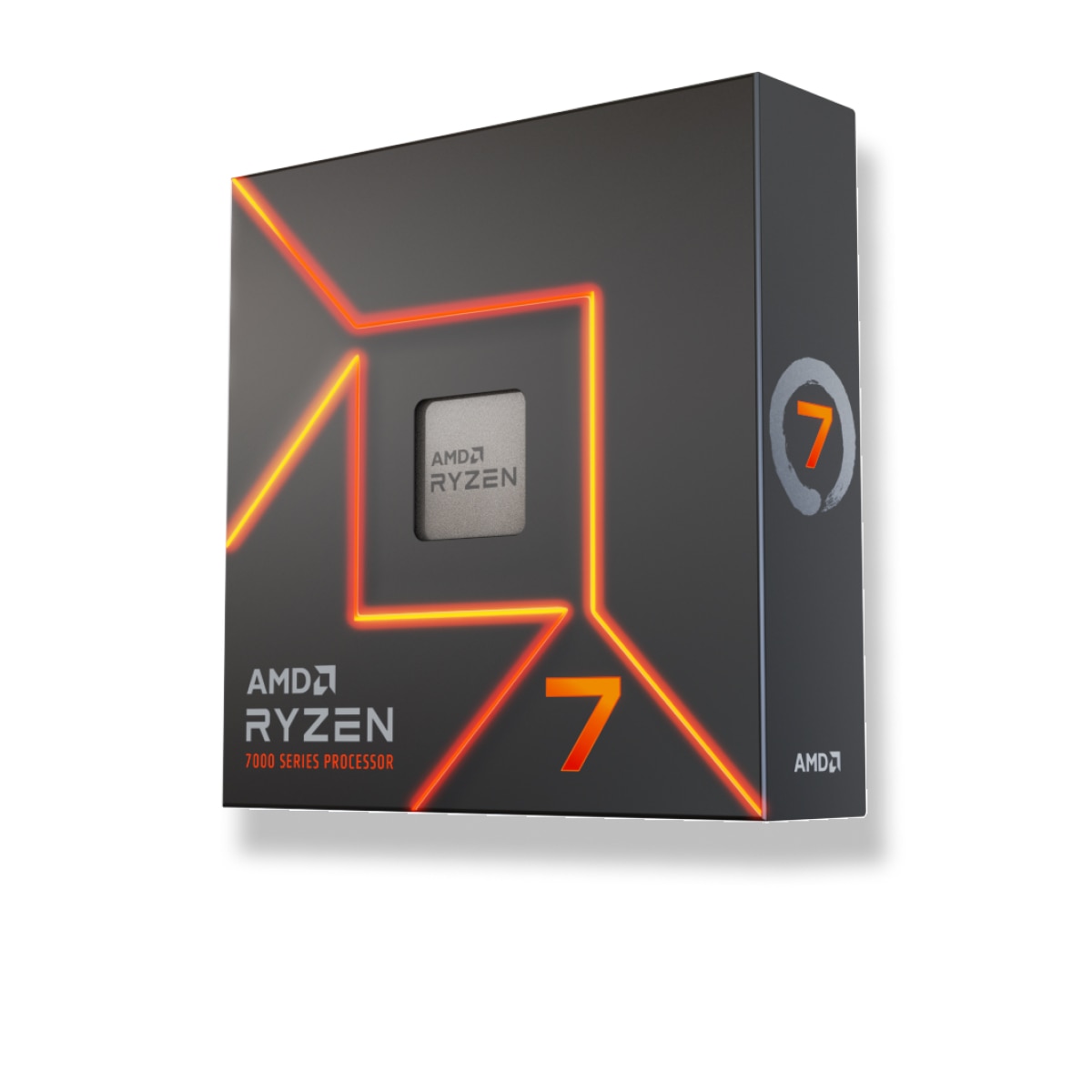
What the Ryzen 7700X platform changes
| Manufacturer field | Published reference |
|---|---|
| CPU cores / threads | 8 / 16 |
| Socket / system memory | AM5 / DDR5 |
| CPU PCIe support | PCIe 5.0 |
| Default TDP | 105 W |
The AMD Ryzen 7 7700X specification establishes the AM5 and DDR5 baseline. If you already own the board, processor and memory, evaluate a graphics-only upgrade first. The cost of a new CPU should enter the plan only when a CPU-heavy workload or another specific need justifies it.
Processor PCIe support does not describe every slot on every motherboard. Confirm the main slot’s generation and electrical lane count in the board manual, including any sharing with installed devices. The physical graphics card, cooler clearance and PSU cables also need separate checks. A compatible platform is the starting point, not a complete installation assessment.
A shortlist organised by workload
| Candidate | Reason to compare it | Purchase check |
|---|---|---|
| Radeon RX 9070 XT | A substantial graphics-quality upgrade | Check game-specific ray tracing and application requirements. Find offerson Amazon |
| GeForce RTX 5070 Ti | A supported NVIDIA feature or creator workload | Use the Ti specification and confirm application acceleration. Find offerson Amazon |
| GeForce RTX 5080 | A heavier graphics workload with the budget to match | Validate 4K game results, case clearance and full power requirements. Find offerson Amazon |
For a smaller graphics requirement, the RX 9060 XT 16GB and standard RTX 5070 remain useful comparisons in the model table. They are not disqualified because the CPU could accompany something faster. A good pairing reaches the actual target without creating unnecessary costs elsewhere.
RX 9070 XT: compare the graphics workload directly
The RX 9070 XT is a candidate for a substantial increase in graphics performance while keeping the AM5 platform. Its suitability depends on the improvement from your existing GPU and the settings you want to use. Review the AMD RX 9070 XT specification, then the exact partner card’s cooler dimensions, power connections and PSU guidance.
Do not decide solely from a generic raster estimate if your priority is ray tracing, a particular upscaler or an application that favours a specific backend. Find measured results for that workload and compare the feature at a quality setting you would actually use. More VRAM does not settle every comparison, and one game’s result does not describe all games.
RTX 5070 Ti: check the Ti model and the application
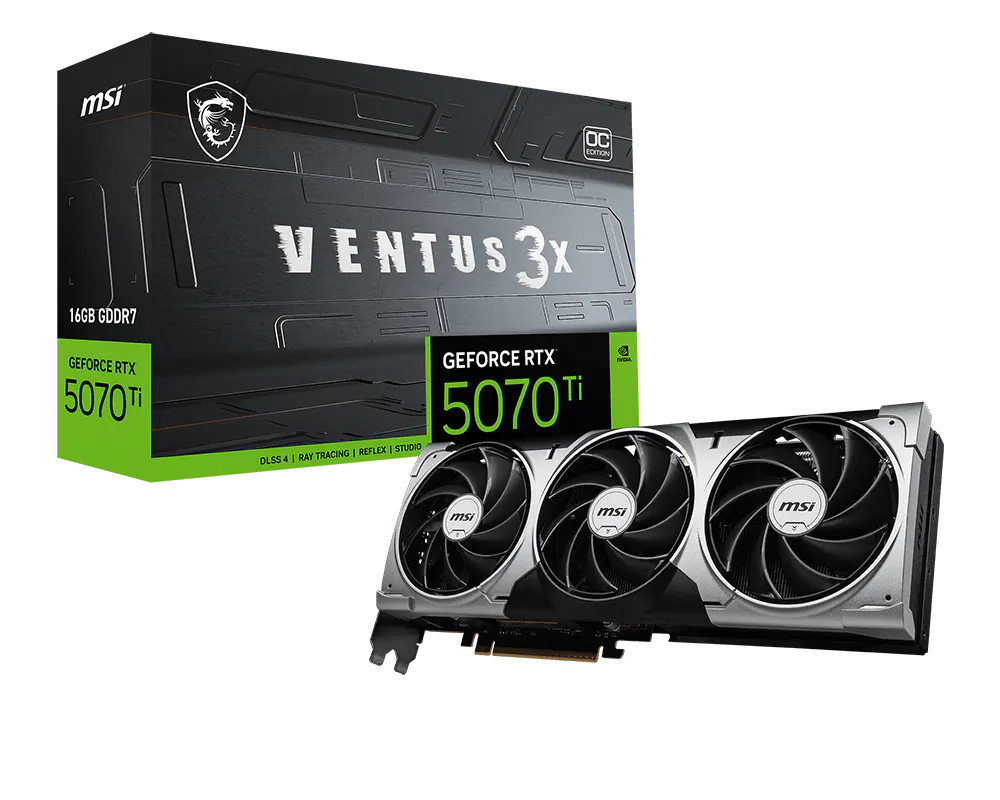
The RTX 5070 Ti belongs on the shortlist when a supported NVIDIA feature or application workflow matters enough to influence the purchase. NVIDIA lists the 5070 and 5070 Ti separately; the standard 5070 is not the same specification at a lower price. Compare the exact product name before assessing memory, power or an offer.
For streaming, identify the encoder, codec, recording settings and platform you intend to use. A GPU’s hardware encoder and CPU software encoding are different workloads. Eight CPU cores alone do not tell you which stream configuration will perform best, and a generic gaming table cannot predict capture overhead or export time.
The pictured MSI VENTUS model identifies a real retail design. It does not mean every 5070 Ti has the same noise, cooler or dimensions. If a cheaper board is available, compare its installation requirements and measured acoustics rather than assuming the most elaborate cooler is necessary.
RTX 5080: reserve the larger spend for a specific need
The RTX 5080 is the higher-cost comparison for a heavier graphics workload, such as demanding high-resolution settings or an application that benefits enough to justify it. Check NVIDIA’s RTX 5080 specification and the board you would actually buy. A model estimate alone cannot establish consistent 4K performance across games.
Build a complete quote. Include any PSU replacement, appropriate cables, case changes and the monitor needed to use the intended output. If those supporting changes consume the budget, the lower graphics tier may be the better complete upgrade. Spending more is useful when it fixes a demonstrated requirement, not simply because the CPU seems deserving of a flagship partner.
Model estimates with the same CPU and conditions
| GPU | 1080p estimated FPS | 1440p estimated FPS | 4K estimated FPS |
|---|---|---|---|
| Radeon RX 9060 XT 16GB | 77 | 57 | 33 |
| GeForce RTX 5070 | 116 | 86 | 50 |
| Radeon RX 9070 | 119 | 89 | 52 |
| Radeon RX 9070 XT | 131 | 98 | 57 |
| GeForce RTX 5070 Ti | 136 | 102 | 59 |
| GeForce RTX 5080 | 144 | 113 | 66 |
At 1440p High, the generic model estimates 98 FPS for the RX 9070 XT, 102 for the RTX 5070 Ti and 113 for the RTX 5080. These are calculated outputs from stored gaming indices. A small numerical separation here is not a measured lead, a ray-tracing ranking or evidence of perceptible superiority in a particular game.
The table holds the CPU and 32GB system memory setting constant so the scenarios are comparable within the engine. It does not measure the 7700X’s cache behaviour, game simulation, drivers or frame-time consistency. Use relevant independent game tests before turning the shortlist into an order.
Why a graphics upgrade does not automatically need an X3D CPU
If your current 7700X reaches the CPU-heavy frame-rate target, changing it alongside the GPU adds cost without an established benefit. Test the difficult scenes first. Check frame caps, temperatures, memory configuration and background tasks before treating a low utilisation reading as proof of the wrong processor.
A CPU upgrade can be worthwhile in workloads that benefit from it, but it needs evidence separate from the graphics purchase. Compare the cost and improvement of the GPU alone against the combined upgrade. Keep the old platform baseline in the calculation rather than comparing only two entirely new builds.
Our guide to choosing a CPU and GPU together explains this workload-first process. If you are planning several future changes, use the upgrade-planning guide to identify which dependency you actually need to buy today.
Evidence and checks before purchase
We developed this editorial shortlist from manufacturer information, the stated workload distinctions and PairMyRig calculations. We did not perform laboratory testing of these combinations. The model uses generic gaming at High preset with 32GB RAM, without measured game benchmarks, 1% lows, ray tracing, frame generation or streaming results. See the calculation methodology for its limits.
Confirm the exact graphics card, local price, warranty and return terms. Use the PSU calculator as a planning aid with the manufacturers’ installation instructions. For another processor, return to the GPU-for-CPU hub rather than assuming this shortlist applies to every platform.
Explore another pairing scenario
Choose a different graphics card. Select High preset and 32GB system RAM to match the model table.
Frequently asked questions
Can a Ryzen 7 7700X be paired with an RTX 5080?
A compatible system can pair them when board, case, power and software requirements are met. Whether the larger GPU is good value depends on your game or application and the performance target.
Should I replace the 7700X with an X3D CPU first?
Only if a relevant CPU-heavy workload justifies the cost. A graphics-limited game may benefit more from the GPU alone. Check measured results and your existing system before planning both changes.
Is an RX 9060 XT 16GB wasted on this CPU?
No. A less expensive GPU can be an appropriate partner if it meets the goal. The CPU’s core count does not create a minimum spending requirement for graphics.
Do the estimates include streaming or ray tracing?
No. They are generic gaming model outputs. Evaluate the actual encoder, application and game features separately with measured results suited to your workload.