By Walter Jobs, Technology writer and editor. Manufacturer sources, competitor coverage and model scenarios reviewed 2 November 2026.
For a Core i5-13600K, compare the RX 9070 XT for a substantial graphics upgrade, the RTX 5070 Ti for a specific supported feature or production workload, and the RX 9060 XT 16GB when a smaller purchase is enough. A capable processor does not create a minimum GPU budget. Start with the actual performance or software problem.
As an Amazon Associate we earn from qualifying purchases. This does not change the price you pay, and a commission never affects what we recommend. Full disclosure.
Before adding hardware, establish that the present system is stable and correctly configured. Firmware, cooling, memory settings and the exact board matter. Replacing the GPU is not a diagnosis for unexplained crashes or a CPU-heavy frame-rate shortfall.
GPU shortlist by workload
| Product | When to compare it | Before buying |
|---|---|---|
| A larger graphics-quality upgrade | Check power, clearance and game-specific feature needs. Find offerson Amazon |
|
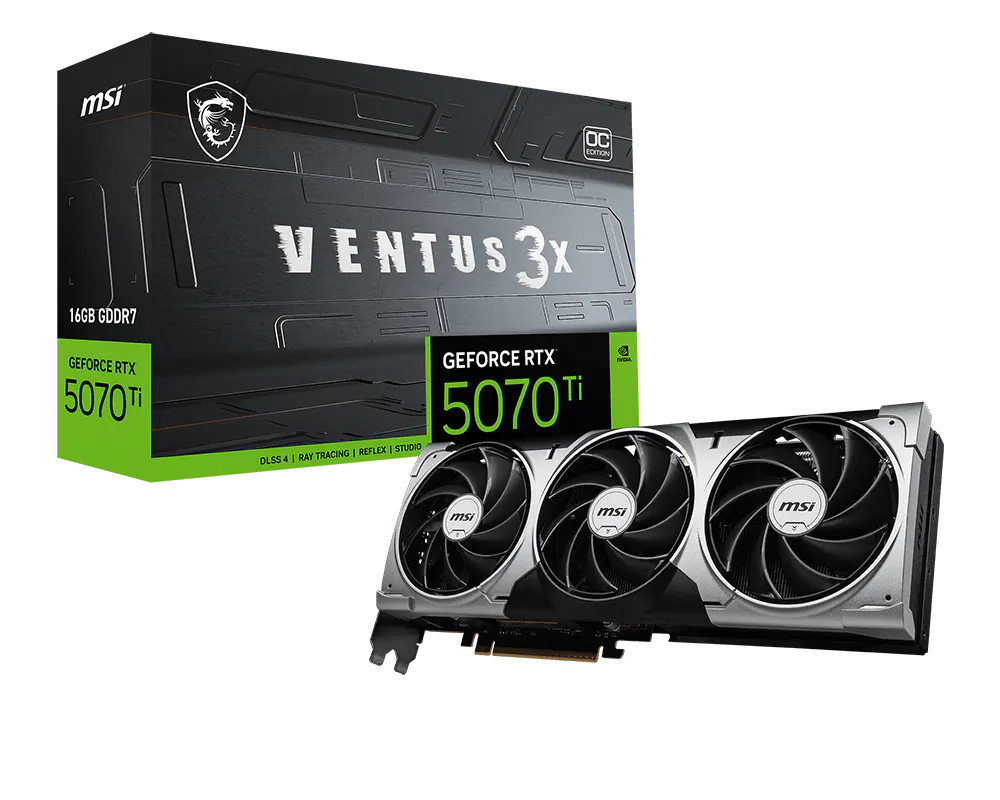 GeForce RTX 5070 Ti |
A supported NVIDIA feature or production workload | Separate the Ti specification and gaming from application performance. Find offerson Amazon |
| A smaller purchase that meets the goal | A capable CPU does not create a minimum GPU budget. Find offerson Amazon |
The ASUS and MSI images show actual retail designs, not every cooler available in those families. Check the exact board, warranty, current offer, size and power requirements before deciding that an upgrade fits the budget.
RX 9070 XT: a larger graphics-quality improvement
The RX 9070 XT belongs on the shortlist when a demanding display or graphics preset needs a substantial improvement. Compare the gain from your current GPU rather than a weak unrelated baseline. If the existing card is already close to the goal, a higher tier may not be a worthwhile purchase.
Assess game-specific ray tracing, upscaling and application support separately from the generic model. More VRAM does not establish every performance outcome. Include any required PSU or case change in the graphics-upgrade quote.
RTX 5070 Ti: check features and applications directly
The RTX 5070 Ti is a comparison when a supported NVIDIA feature or acceleration path matters. Keep the Ti specification separate from the standard 5070. Confirm the exact application version, job and rendering mode before using a performance result to justify the purchase.
Streaming, CPU encoding, hardware encoding and GPU rendering are different workloads. The 13600K’s core count does not by itself identify the best configuration. A generic gaming FPS table cannot predict export times, capture overhead or encoder quality.
RX 9060 XT 16GB: do not overspend to match a CPU label
The 16GB RX 9060 XT can be the more useful option when it meets the game target at a smaller complete cost. Verify the memory version and exact board. An 8GB price should not be treated as a 16GB offer.
There is no rule requiring an expensive graphics card because you own a K-series processor. A modest display goal or a large improvement from a weak present GPU can favour the smaller purchase. Keep the remaining budget available for an actual system need or a later defined upgrade.
CPU, memory and cooling context
| Manufacturer field | Published reference |
|---|---|
| CPU cores / threads | 14 / 20: 6 P-cores and 8 E-cores |
| Socket | LGA1700 |
| Official memory support | DDR4-3200 or DDR5-5600; board-specific |
| Processor Base / Maximum Turbo Power | 125 W / 181 W |
| Integrated graphics | Intel UHD Graphics 770; K is distinct from KF |
The 13600K uses fourteen cores and twenty threads, but that is not a universal gaming score. Its base and maximum turbo power fields are different values, neither of which describes your entire PC’s wall draw. Check the installed cooler, temperatures and the board’s supported configuration.
A DDR4 motherboard does not become a DDR5 board through a setting. Compare any board-and-memory replacement with retaining a functioning installation. The K model’s integrated graphics can also be relevant to troubleshooting or supported workflows; do not transfer that capability to the KF model.
Check Intel’s firmware guidance before diagnosing an upgrade
Intel’s current Vmin Shift guidance recommends relevant Intel Default Settings and the latest BIOS containing microcode 0x12F or later for the covered desktop systems. Use the exact motherboard vendor’s approved update and procedure. Do not assume that an old configuration is current because the computer boots.
If unexplained instability persists, investigate it with the system or processor support channel before treating a graphics purchase as the remedy. A firmware mitigation is not proof that every existing fault has been fixed. Keep a stable baseline so that a before-and-after GPU comparison means something.
Choose graphics-first or investigate the system first
| Your situation | Best next comparison | Do not assume |
|---|---|---|
| Unexplained crashes or instability | Investigate applicable firmware, settings and support first | A new GPU is the diagnosis or repair. |
| Stable system with a graphics-heavy shortfall | Compare the actual graphics improvement and installation cost | The K suffix creates a minimum graphics budget. |
| A production workflow needs acceleration | Check the exact application, task and backend | Gaming model FPS is an encoding or rendering benchmark. |
A complete plan includes the precise card, supporting parts and any necessary troubleshooting. Do not compare a clean new-build benchmark against an unstable or thermally constrained PC and attribute the whole difference to GPU choice.
Generic graphics scenarios with the 13600K
| GPU | 1080p estimated FPS | 1440p estimated FPS | 4K estimated FPS |
|---|---|---|---|
| Radeon RX 6600 | 50 | 37 | 14 |
| GeForce RTX 5060 | 70 | 52 | 20 |
| Radeon RX 9060 XT 16GB | 77 | 58 | 33 |
| GeForce RTX 5070 | 116 | 87 | 50 |
| Radeon RX 9070 XT | 131 | 98 | 57 |
| GeForce RTX 5070 Ti | 137 | 102 | 59 |
The model estimates 58 FPS with the RX 9060 XT 16GB, 98 with the RX 9070 XT and 102 with the RTX 5070 Ti at 1440p High. These are stored-index calculations, not measured game results. The small separation between larger cards is not a ray-tracing or creator-workload ranking.
The model does not simulate BIOS changes, microcode behaviour, cooling, memory tuning, drivers or measured frame-time tails. It cannot prove that a specific card is the fastest the CPU can use. Match independent measurements to the actual game and target before paying for a larger graphics tier.
Diagnose a performance shortfall on a stable baseline
Choose a repeatable scene and record settings, frame rate and frame pacing. Check caps, background activity, temperatures and memory configuration. Reduce graphics demand while keeping the scene comparable, then investigate the remaining shortfall.
If the CPU-heavy frame-rate floor already meets the goal, a graphics-only change can be the sensible route. If it does not, establish what a CPU or configuration change would improve before ordering both parts. Our pairing guide explains how to connect that evidence with the purchase.
Research method and final checks
This is an editorial shortlist based on checked manufacturer information and PairMyRig scenarios. We did not lab-test these combinations or measure a microcode performance effect. The model uses generic gaming, High preset and 32GB RAM, without named-game benchmarks, 1% lows, PCIe penalties, ray tracing or generated frames.
Primary reference: Intel’s current desktop stability guidance.
Read the calculation methodology for the limits. Check case fit, PSU model and connectors, using the power planner with manufacturer instructions. The GPU pairing hub covers other CPU starting points.
Explore another pairing scenario
Choose another graphics card. Select High preset and 32GB system RAM to match the table, and confirm the memory version of the selected GPU.
Frequently asked questions
Does a 13600K require a high-end GPU?
No. Choose the graphics card from the workload and improvement needed. A less expensive card can be appropriate when it reaches the target.
Should I buy a new GPU to fix unexplained crashes?
Diagnose the system first. Check applicable firmware guidance, supported settings, thermals and hardware support before assuming a graphics replacement is the solution.
Can I use DDR4 or DDR5 in the same board?
Check the exact motherboard. Processor support for either type does not make a DDR4 installation accept a DDR5 kit.
Does the model show BIOS or microcode improvements?
No. It does not simulate firmware behaviour or measure update effects. The table is a generic graphics comparison, not a stability or microcode benchmark.