By Walter Jobs, Technology writer and editor. Manufacturer sources and model scenarios reviewed 2 November 2026.
The best GPU for a Ryzen 5 5600X depends on the upgrade you need, rather than a fixed CPU-to-GPU price ratio. Compare the Radeon RX 9060 XT 16GB for a smaller graphics purchase, the RX 9070 for a larger graphics-heavy upgrade, and the RTX 5070 when your games or applications give you a specific reason to choose NVIDIA. Keep the 5600X if it already delivers the frame pacing and responsiveness you want.
As an Amazon Associate we earn from qualifying purchases. This does not change the price you pay, and a commission never affects what we recommend. Full disclosure.
This is a buying shortlist, not a claim that these cards are equally good in every game. An owner replacing a much older GPU has a different decision from someone who already owns a capable midrange card. Before buying, name your current GPU, display resolution, most demanding game and acceptable frame-rate floor. Those four details are more useful than a generic bottleneck percentage.
Three GPU options, with a reason for each
| Candidate | Reason to compare it | Purchase check |
|---|---|---|
| Radeon RX 9060 XT 16GB | A smaller graphics upgrade with 16 GB memory | Compare against your current card; capacity alone is not speed. Find offerson Amazon |
| Radeon RX 9070 | A larger step for a graphics-heavy 1440p workload | Verify the exact board, PSU and game requirements. Find offerson Amazon |
| GeForce RTX 5070 | A workload needing NVIDIA-supported features | Check the feature in your actual games or applications. Find offerson Amazon |
The RX 9060 XT recommendation specifically means the 16GB version. Do not compare an 8GB offer as though the memory capacity were identical. Equally, a 16GB card is not automatically faster than a 12GB card: processor resources, workload, settings and supported features still decide the result.

What the 5600X platform already gives you
| Manufacturer field | Published reference |
|---|---|
| CPU cores / threads | 6 / 12 |
| Socket / system memory | AM4 / DDR4 |
| L3 cache | 32 MB |
| CPU PCIe support | PCIe 4.0 |
| Default TDP | 65 W |
AMD’s Ryzen 5 5600X specification confirms the CPU’s platform characteristics. PCIe 4.0 support at the processor does not prove that every AM4 motherboard slot runs at that generation. Read the board manual for the primary slot, installed CPU and any lane-sharing restrictions. Put the GPU in the intended main graphics slot rather than a physically similar secondary slot with a narrower connection.
Six cores are not a universal graphics-card ceiling. The CPU has to prepare work for the GPU, and a simulation-heavy game can stress it differently from a visually demanding single-player title. Raising render resolution usually adds graphics work, but it does not remove the processor’s simulation or draw-call workload. A 4K display therefore does not guarantee freedom from CPU limits.
RX 9060 XT 16GB: start with the size of the improvement
This is the first candidate to price when a moderate purchase can meet the goal. Its appeal is avoiding an unnecessary full-platform replacement while leaving room in the budget for a suitable PSU, storage or monitor. Use the official RX 9060 XT specification to confirm the memory variant before comparing an exact board.
Keep your current card in the comparison. A discounted product can still be poor value if it delivers only a small improvement in the settings you actually use. If your existing GPU already reaches the target, a larger memory number alone is not a buying reason. Conversely, an older entry-level card may leave enough graphics performance on the table that a GPU-only upgrade makes more sense than replacing the 5600X first.
RX 9070: a larger graphics step needs a clear target
The RX 9070 belongs on the shortlist when the display or graphics settings demand a more substantial upgrade. Check the RX 9070 product specification, then confirm the partner card’s dimensions, connectors and PSU recommendation. A GPU-family name does not identify a particular cooler or power connector layout.
At 1440p with demanding graphics, spending more on the GPU can be sensible while retaining AM4. For a high-refresh competitive target, examine measured results in the exact games before assuming that the same spending brings a proportionate benefit. If dropping resolution changes little in a repeatable difficult scene, investigate the CPU, memory and frame cap before placing a larger GPU order.
RTX 5070: buy the features you will use
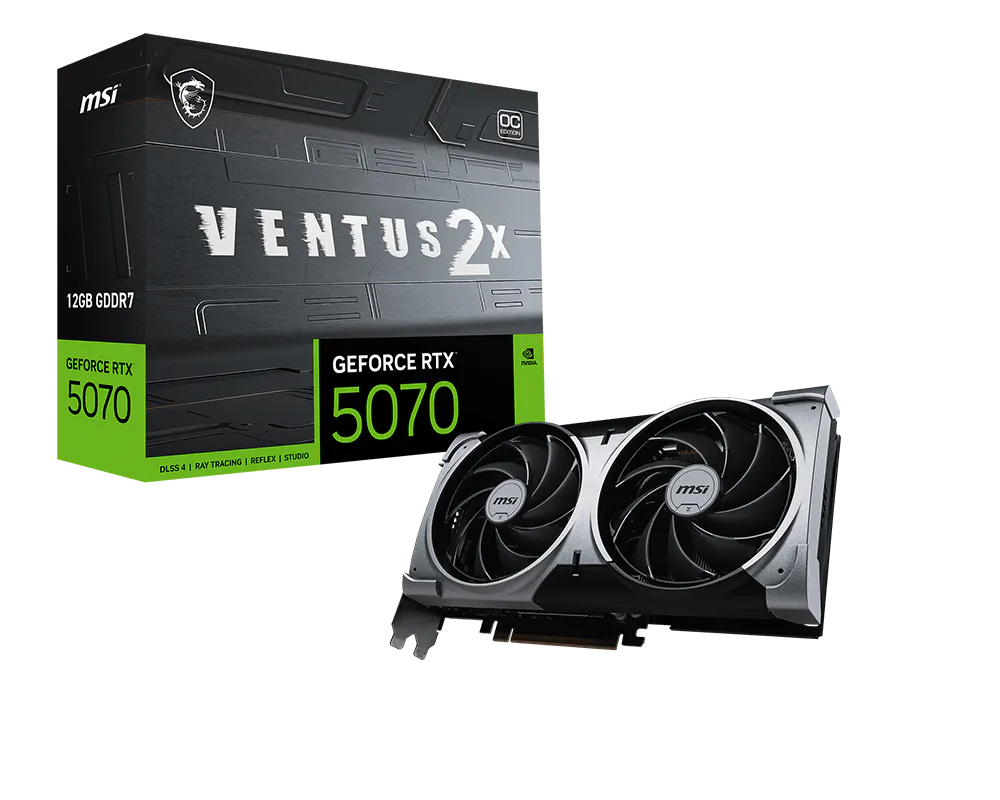
The RTX 5070 is a separate comparison for software support, a preferred game feature or an application workflow. Consult NVIDIA’s RTX 5070 family specification and use the standard 5070 column, not the 5070 Ti column. Confirm support in your application version; a brand badge does not establish the quality or speed of an individual workload.
Do not count a frame-generation FPS figure as evidence that the 5600X can simulate the game at that rate. Generated frames and rendered game frames describe different work. Compare responsiveness, base frame rate and visual quality as well as the displayed FPS counter. Our generic comparison below does not evaluate those features.
PairMyRig estimates across three resolutions
| GPU | 1080p estimated FPS | 1440p estimated FPS | 4K estimated FPS |
|---|---|---|---|
| GeForce RTX 4060 | 61 | 45 | 17 |
| Radeon RX 9060 XT 16GB | 77 | 57 | 33 |
| GeForce RTX 5060 Ti 16GB | 87 | 65 | 38 |
| Radeon RX 9070 | 118 | 88 | 52 |
| GeForce RTX 5070 | 115 | 86 | 50 |
| Radeon RX 9070 XT | 123 | 97 | 57 |
The model places the RX 9060 XT 16GB at 57 estimated FPS and the RX 9070 at 88 at 1440p High in its generic scenario. That is a comparison of the model’s inputs, not a promise for a named game. The table also includes adjacent cards so you can see how a larger proposed spend changes this scenario. It does not establish a universally optimal GPU.
The 5600X and 5700X share the same gaming index in this model. Similar estimates across their pages therefore do not prove equal real-world performance, nor does the engine reproduce every cache-sensitive game. Treat the numbers as an initial screen, then seek independent measured results matching your settings and difficult scenes.
When to keep the CPU, and when to investigate AM4 upgrades
Keep the CPU if the current frame-rate floor is acceptable and the main shortfall follows graphics settings. Investigate a CPU upgrade if your actual game misses the target even after reducing graphics work, with no cap or thermal issue explaining the result. A supported AM4 CPU change may cost less than replacing the board and memory, but check the board’s support list and BIOS instructions before ordering.
Price complete plans: GPU alone; GPU plus a supported CPU; or a new platform. Include cooling, memory, power and the cost of the parts you can reuse. Our guide to pairing a cheaper CPU with an expensive GPU explains why the purchase prices alone cannot identify an imbalance.
How these recommendations were developed
This is a specification-led editorial shortlist. We checked manufacturer information and calculated the displayed scenarios with the PairMyRig engine; we did not run these combinations in a hardware laboratory. The model uses generic gaming indices with High preset and 32GB system RAM. It does not measure individual games, 1% lows, driver behaviour, PCIe penalties, ray tracing or frame generation. Read our calculation method and limitations before using the estimates.
For the final purchase, check the exact retail card, current local price and return terms. Use the PSU calculator as a planning aid alongside the board maker’s requirements. You can compare other processors in the GPU pairing hub; the best choice remains the least costly complete upgrade that meets your actual workload.
Explore another pairing scenario
Choose a different graphics card. Select High preset and 32GB system RAM to match the model table.
Frequently asked questions
Will a Ryzen 5 5600X bottleneck an RTX 5070?
It can limit some CPU-heavy or high-refresh workloads. That does not make the combination unsuitable for every workload. Check your game, settings and frame-rate target; neither a universal percentage nor the CPU’s age settles the decision.
Is the RX 9060 XT 16GB too weak for the 5600X?
No pairing rule requires you to spend more because a CPU could support a faster card. If the smaller purchase reaches your target, retaining the budget can be the better choice. Confirm the gain over your current GPU.
Should I upgrade the CPU before the graphics card?
Upgrade the part responsible for your actual shortfall. A graphics-limited workload may benefit most from the GPU; CPU-heavy scenes may justify a supported processor change. Diagnose first and compare the complete costs.
Are the FPS values measured game benchmarks?
No. They are outputs from PairMyRig’s generic model under the stated conditions. They do not include measured frame-time data or guarantee results in any named game.